Integrations
API: getting started
Connect your PSA, RMM, reports or scripts to Enlist with an API key: make a key, send your first request, and handle paging, errors and limits.
Your PSA, RMM, reporting tools and scripts reach Enlist through the same API the console uses. They sign in with an API key you make in the console. A key can read clients, the team, the activity log, devices and blueprints, add clients and sites, and change device tags, groups and patch rings. It never runs anything on a device, never sees a password or recovery key, and never changes people, roles or settings.
Every endpoint a key can call is in the API reference. Events Enlist sends to you are in Webhook events. To let an AI assistant such as Claude or Cursor use a key, see AI assistants (MCP).
Make a key #
You need to be able to manage settings for your MSP (owners and admins can).
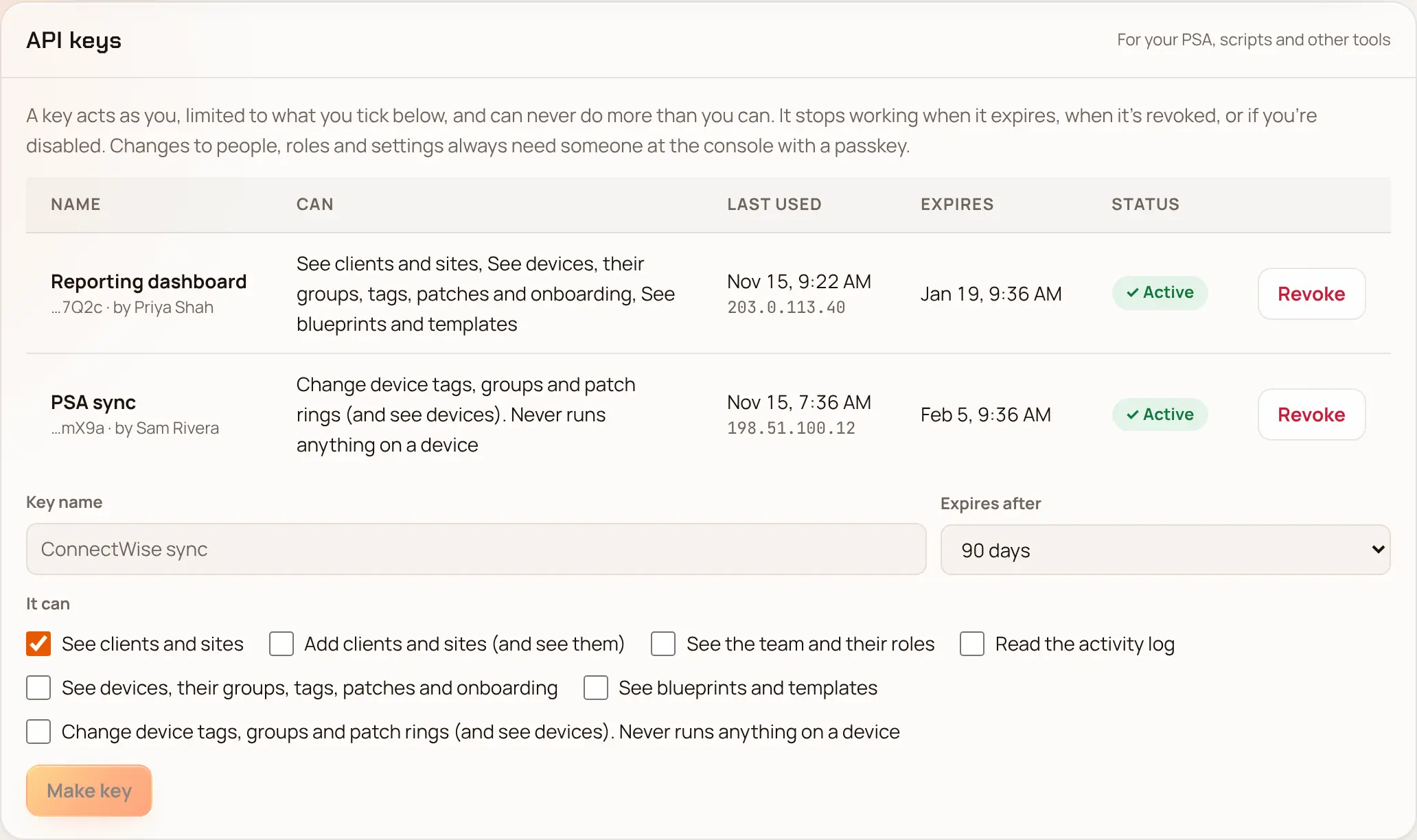
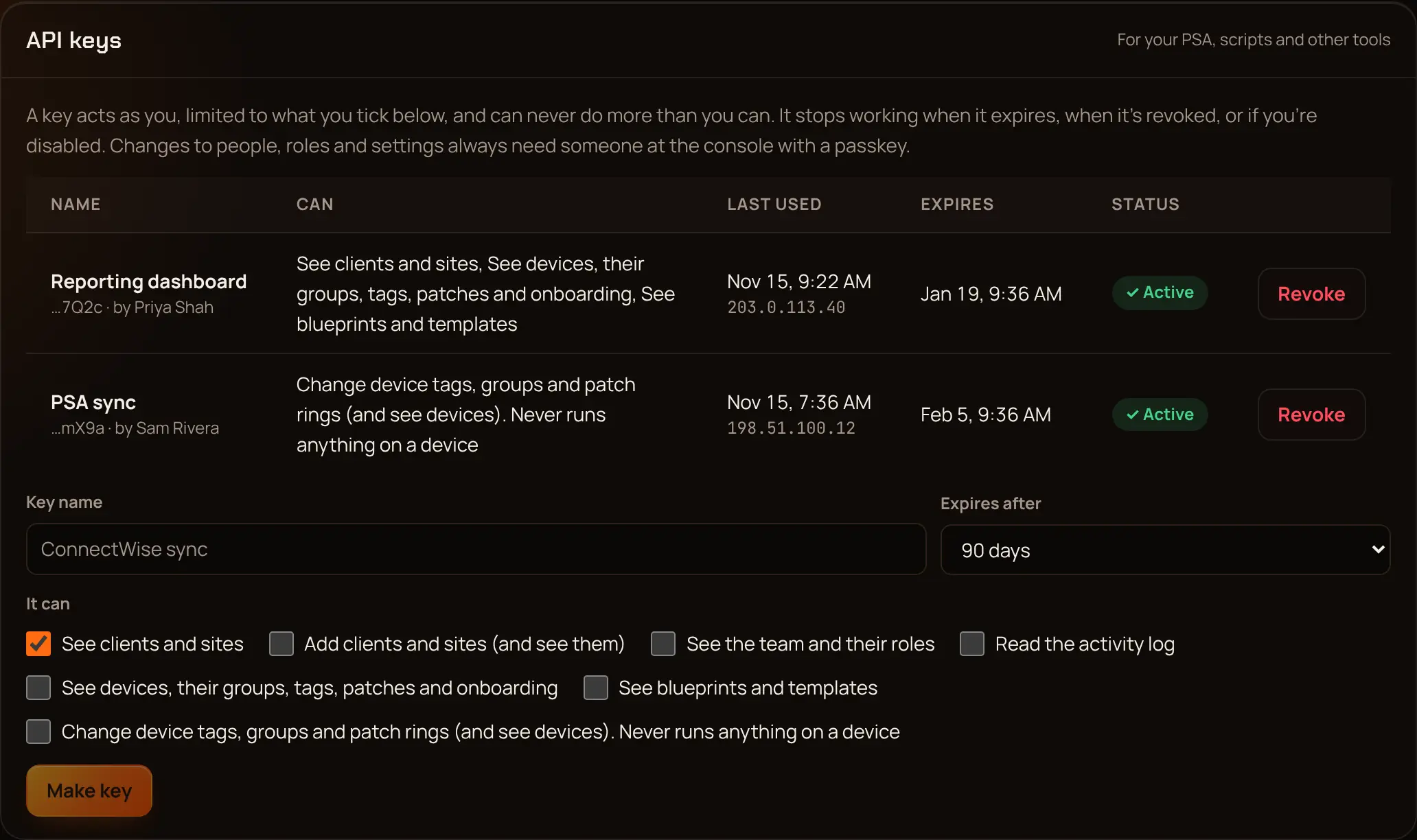
In the console, open Settings and scroll to API keys ("For your PSA, scripts and other tools").
In Key name, type what the key is for, such as
ConnectWise sync.In Expires after, pick 30, 90 or 180 days, or 1 year. Keys can't live longer than a year.
Under It can, tick only what the tool needs (the scopes are below).
Pick Make key and confirm with your passkey.
Copy the key from Copy … now. This is the only time you'll see it, because Enlist keeps only a fingerprint. Put it in your tool's secret store.
The list shows each key's name, the end of the key (… and its last characters), who made it, what it can do, when and from which address it was last used, and when it expires. An MSP can have 25 working keys at a time.
A key does what you can do, narrowed to the scopes you ticked, and never more. If your role shrinks, the key shrinks with it. It stops working when it expires, when someone picks Revoke, or if you're disabled. For a key a whole team relies on, make it as someone whose access won't change often.
Scopes #
| Scope | In the console | What it reaches |
|---|---|---|
clients:read | See clients and sites | Clients and their sites |
clients:write | Add clients and sites (and see them) | Add clients and sites, and everything clients:read reads |
team:read | See the team and their roles | People, their roles and where they apply. The access review needs audit:read too |
audit:read | Read the activity log | The activity log, its export, archives and signed anchors, and the hash-chain check |
devices:read | See devices, their groups, tags, patches and onboarding | Devices and their inventory, groups, tags, patch rings, OS patches, patch and vulnerability reports, standard checks and onboarding sessions |
blueprints:read | See blueprints and templates | Blueprints, templates, their drafts, previews and versions |
devices:organize | Change device tags, groups and patch rings (and see devices) | Everything devices:read reads, plus setting tags, making and changing groups, and moving devices between patch rings. Never runs anything on a device |
Some things always need a person at the console with a passkey, so no key can do them: running scripts or installs, onboarding or retiring a device, viewing passwords and recovery keys, publishing or approving blueprints, approving patches, and anything about people, roles, sign-in, settings or keys.
Your first request #
Send requests to your MSP's own address with /api in front of the path. If you sign in at https://northwind.enlistit.app, the API is at https://northwind.enlistit.app/api. Put the key in the Authorization header:
curl -sS https://northwind.enlistit.app/api/clients \
  -H "Authorization: Bearer $ENLIST_API_KEY"
The answer is JSON:
[
  { "id": "0b6f…", "name": "Woodlands Law" },
  { "id": "51c2…", "name": "Harbor Dental" }
]
The same request in PowerShell:
$headers = @{ Authorization = "Bearer $env:ENLIST_API_KEY" }
Invoke-RestMethod -Uri "https://northwind.enlistit.app/api/clients" -Headers $headers
Keys look like enl_ followed by your MSP's part, a dot and the secret. Keep the whole thing secret. Don't put a key in a URL, a script you share, or a ticket.
Add a client #
With clients:write:
curl -sS -X POST https://northwind.enlistit.app/api/clients \
  -H "Authorization: Bearer $ENLIST_API_KEY" \
  -H "Content-Type: application/json" \
  -d '{"name": "Harbor Dental"}'
Enlist answers 201 Created with the new client's id and name. Changes a key makes are in the activity log under your name, with the key's id.
Paging #
Long lists come a page at a time:
- Devices (
GET /devices): sendlimit(100 if you leave it out, at most 500), and the answer'snextis the value to send asafterfor the next page. Whennextisnull, you have them all. You can also filter withsearch(hostname or serial),state(active,retiredorall),tagandgroup. - Activity log (
GET /audit): newest first. Sendlimit(up to 500), and for the next page sendbeforeset to the lastseqyou got. For a full copy,GET /audit/exportgives CSV or JSON Lines in one go.
# Every active device, 200 at a time
after=""
while :; do
  page=$(curl -sS "https://northwind.enlistit.app/api/devices?limit=200${after:+&after=$after}" \
    -H "Authorization: Bearer $ENLIST_API_KEY")
  echo "$page" | jq -r '.devices[] | [.hostname, .serialNumber] | @tsv'
  after=$(echo "$page" | jq -r '.next // empty')
  [ -z "$after" ] && break
done
Errors #
A request that doesn't work gets a 4xx or 5xx status and a JSON body with an error code, and often a message written for people. A body that didn't pass its checks gets 400 with an errors map, which lists what's wrong per field.
{ "error": "invalid_api_key" }| Status | error | What it means |
|---|---|---|
| 400 | ambiguous_credentials | The request had both a key and a console sign-in cookie. Send only the key |
| 401 | invalid_api_key | The key is wrong, revoked or expired, or the person who made it is disabled |
| 403 | api_key_not_allowed | Keys can't call this endpoint at all, whatever their scopes |
| 403 | forbidden | The key lacks the scope, or the person who made it lacks the right, for this client or action |
| 404 | not_found | It doesn't exist, or the key's maker can't see it (Enlist doesn't say which) |
| 429 | too_many_failed_keys | Too many wrong keys from your address. Wait a while and check the key |
| 429 | none | Too many requests (see limits below). Wait for the next minute and try again |
Limits #
- 600 requests a minute per key, and 1,200 a minute per address for everything coming from it.
- CSV reports (
/patching/reports/os.csv,/patching/reports/cves.csv) stop at 10,000 devices and then sendX-Enlist-Truncated: true. Ask for one client at a time with?clientId=. - Answers can gain new fields at any time. Ignore fields you don't know, and don't depend on the order of fields.
The OpenAPI file #
The API reference is made from Enlist's OpenAPI 3.1 description, the same file the console is built against. Every endpoint there shows the scope it needs, its parameters and the shapes it returns.
Keep keys safe #
- One key per tool, with only the scopes that tool needs, so you can revoke one without breaking the others.
- Pick the shortest expiry that works and put a reminder in before it runs out.
- Check Last used now and then. A key nobody uses can be revoked.
- Revoking is instant and can't be undone. Anything still using the key is refused at once.
- Team's access review (and
GET /team/access-review.csv) lists every key with its maker and scopes, for your quarterly review.
Last updated 2026-11-15. Something wrong or missing? Email [email protected].