Integrations
Notifications
Send onboarding, patching and security news to email addresses or webhooks, for all clients or one.
Notification channels decide who hears when something happens: an onboarding is blocked or finishes, a patch is halted, or something security-related changes. A channel is an email address or a webhook, for all clients or one client. Owners and admins set them up. Anyone on the team can also get alerts on their own phone: see The phone app.
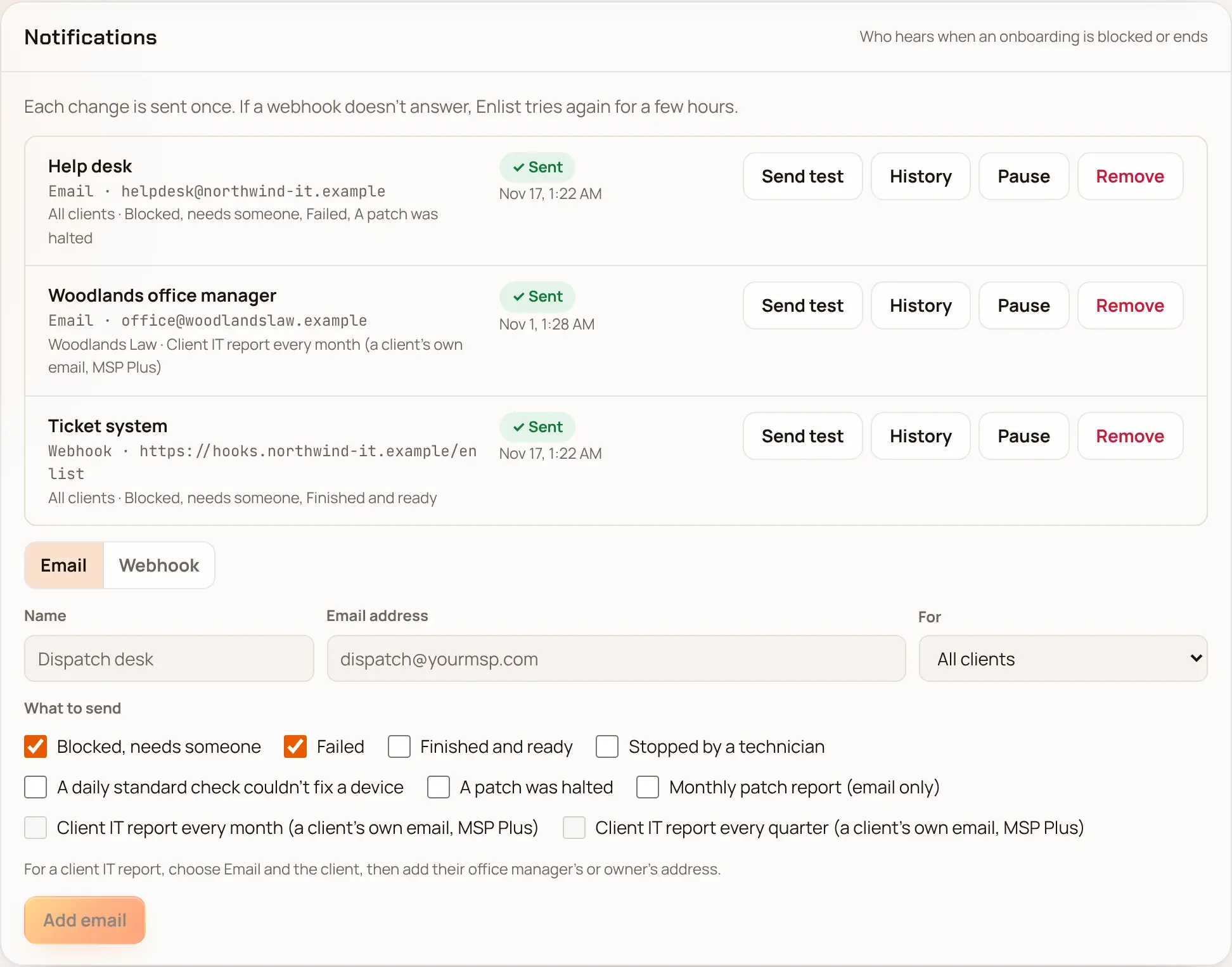
Add a channel #
In Settings → Notifications ("Who hears when an onboarding is blocked or ends"), choose Email or Webhook.
Give it a Name, and the email address or webhook URL (it must be
https://).In For, pick All clients or one client.
Tick the events it should get, then pick Add email or Add webhook.
For a webhook, copy the signing secret now. It's shown only once. See checking the signature.
Each channel has Send test, History (what was sent and how it went), Pause or Turn on, and Remove.
Events #
- Onboarding
- Blocked, failed, finished and ready, stopped by a technician, and a daily standard check that failed.
- Patching
- A patch halted, and the monthly patch report (email only).
- Client reports
- A branded monthly or quarterly IT report for one client's own contacts (Pro +). See Client reports and ready emails.
- Security
- AD connector set up or changed, a replaced certificate used again, a protected hostname seen, a Mac's Find My changed, a new owner or admin, a role changed, repeated failed sign-ins, and one person viewing many passwords or recovery keys.
Every event a webhook can get, with its body, is in Webhook events.
Ideas #
- A shared inbox for each client's onboarding news, so the account manager sees new PCs land.
- A webhook into your PSA that opens a ticket for
onboarding.blockedand closes it ononboarding.succeeded. - Security events to your SOC's address.
Last updated 2026-11-17. Something wrong or missing? Email [email protected].